Reviews
Glean Review - The Enterprise AI Platform Built On Your Own Data
Glean has no trial and no self-serve signup, so we dug into what's public instead: connector specs, the agent library, and a rate card almost no enterprise vendor publishes.
We've tested Goldie, scheduling and business software for salons and beauty pros that puts booking, reminders, payments and marketing in one app.
Welcome to this Goldie review ✨
A hairstylist working out of one chair runs a business with roughly the same moving parts as a company ten times her size. Someone has to answer the DMs, hold the slot, remind the client the day before, take the deposit, chase the no-show, order the retail, and work out at the end of the month whether the balayage clients or the men's cuts actually paid the rent. Most of that work happens between appointments, on a phone, while someone else's colour is processing.
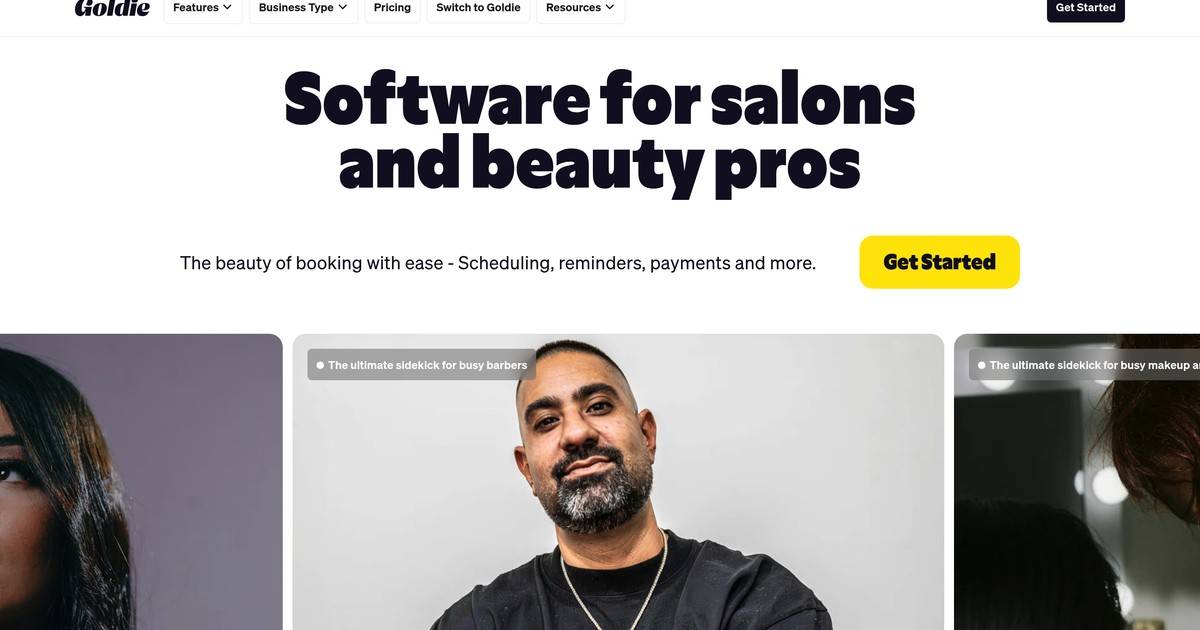
Goldie goes after exactly that. It bills itself as software for salons and beauty pros, and the pitch on the home page is short: "The beauty of booking with ease - Scheduling, reminders, payments and more." The founder asked me to look at four things in particular: booking, reminders, payments and the marketing tools. That is more or less the whole product, so this review walks all four.
One thing to say up front, because it shapes what follows. Goldie's professional-side app sits behind a login and I did not have an account for this review, so I could not test the stylist's calendar from the inside. What I could test, and did, at length, is the half of Goldie that every client actually touches: the branded booking website each pro gets, and the checkout that runs on top of it. I booked my way through several real Goldie booking sites, stopping just short of the confirm button, and that turned out to be a surprisingly good window into how the whole thing is built. Everything I say about the client-facing side is something I saw. Everything about the pro-side app comes from Goldie's own documentation and pricing pages, and I flag it as such.

Goldie is a mobile-first app (iOS and Android) with a full web version, and it is free to start with no card. The company behind it is Quartet Holdco SRL, and the product has been around long enough to have a real user base: Goldie claims 150,000 beauty professionals worldwide and a 4.8 out of 5 across Capterra, the Play Store and the App Store. Its own login screen says "100K+", so take the headline number as a marketing figure rather than a precise one.
The piece a client sees is a booking website at a path you pick yourself, so a business ends up with a link it can put in an Instagram bio. What struck me first is how much of the salon's own identity these pages carry. One I tested opened on a full-bleed photo of roses and gold hairdryers, with a serif wordmark and a circular logo. Another opened on a dark neon-sign hero. A third had no photos at all, just a services list. Same product underneath, three genuinely different impressions, which is the right outcome for an industry where the look is the product.
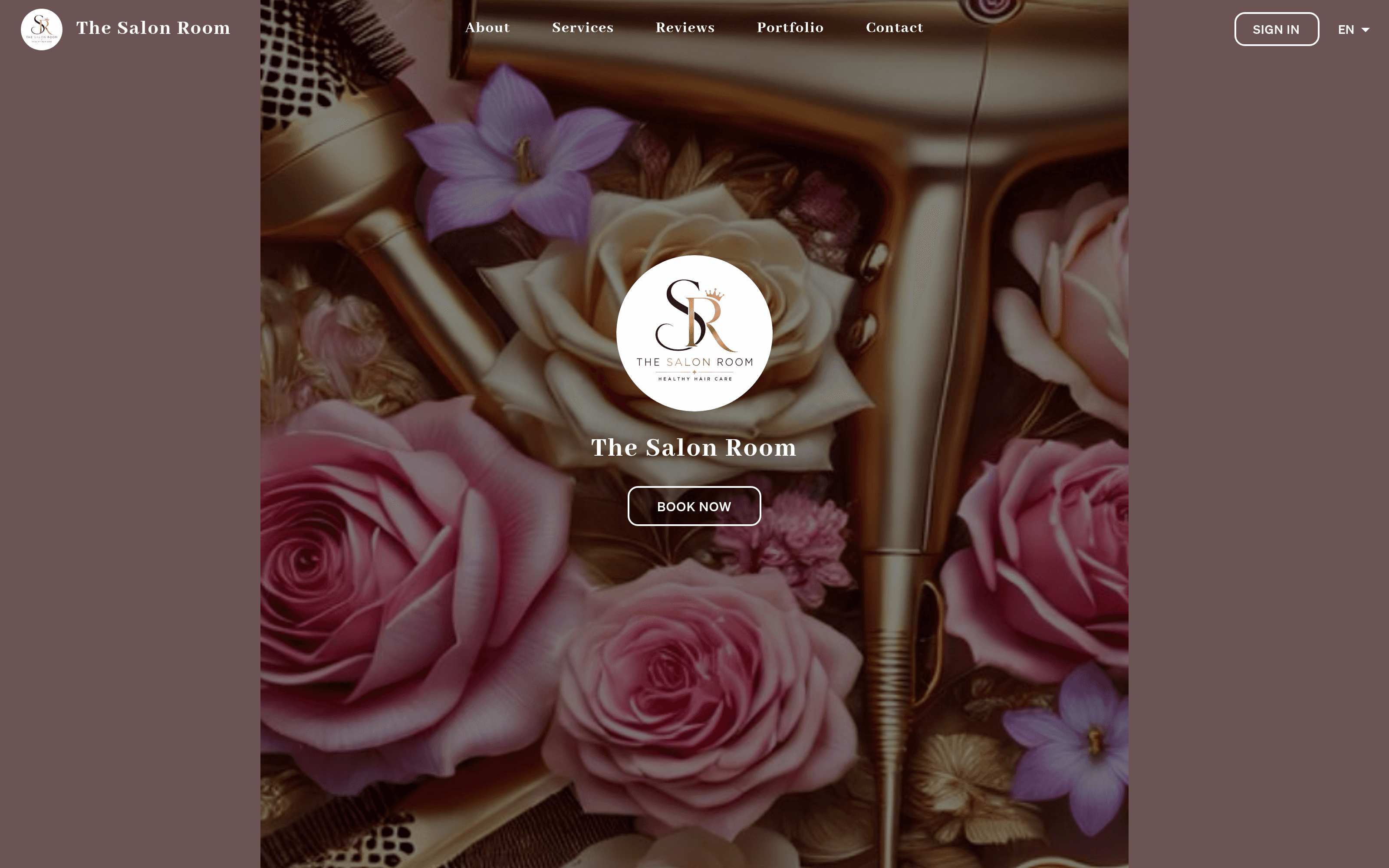
Below the hero, each page assembles itself from whatever the pro has filled in: an About block, a Policy and Terms block, opening hours day by day, a contact card, a portfolio gallery, a reviews section with real dated client comments, and a loyalty banner. The pages I looked at carried 3, 27 and 69 reviews respectively, each with the reviewer's first name and a date, so the social proof is Goldie's own rather than borrowed from Google. There is a language switcher in the header too, offering English, Spanish, French, Italian, Portuguese and Romanian.
Clicking BOOK NOW drops you into a numbered checkout, and the first thing worth noticing is that the number changes. On one salon it read 1/4. On another, 1/3. The flow assembles itself from what that pro has switched on: a Products step appears only if they sell retail, and an Add-ons step appears only once you pick a service that has add-ons attached. On one nail artist's page the header flipped from 1/3 to 1/4 the instant I selected a service, because that service carried ten add-ons.
Step one is the services list. Each card shows duration and price, and Goldie is comfortable with the messy pricing that this industry actually uses: I saw 2 h | $60.00, 1 h | $65- 130, 2 h | Price varies, and 2 h | $65.00 - price may vary based on hair length. Pros with long menus can group services into collapsible categories (Color services, Haircuts, Wax and brows, Perm Services), and each service can carry a photo and a description. Hitting SELECT turns the button into a quantity stepper, so a client booking for two can just press plus.
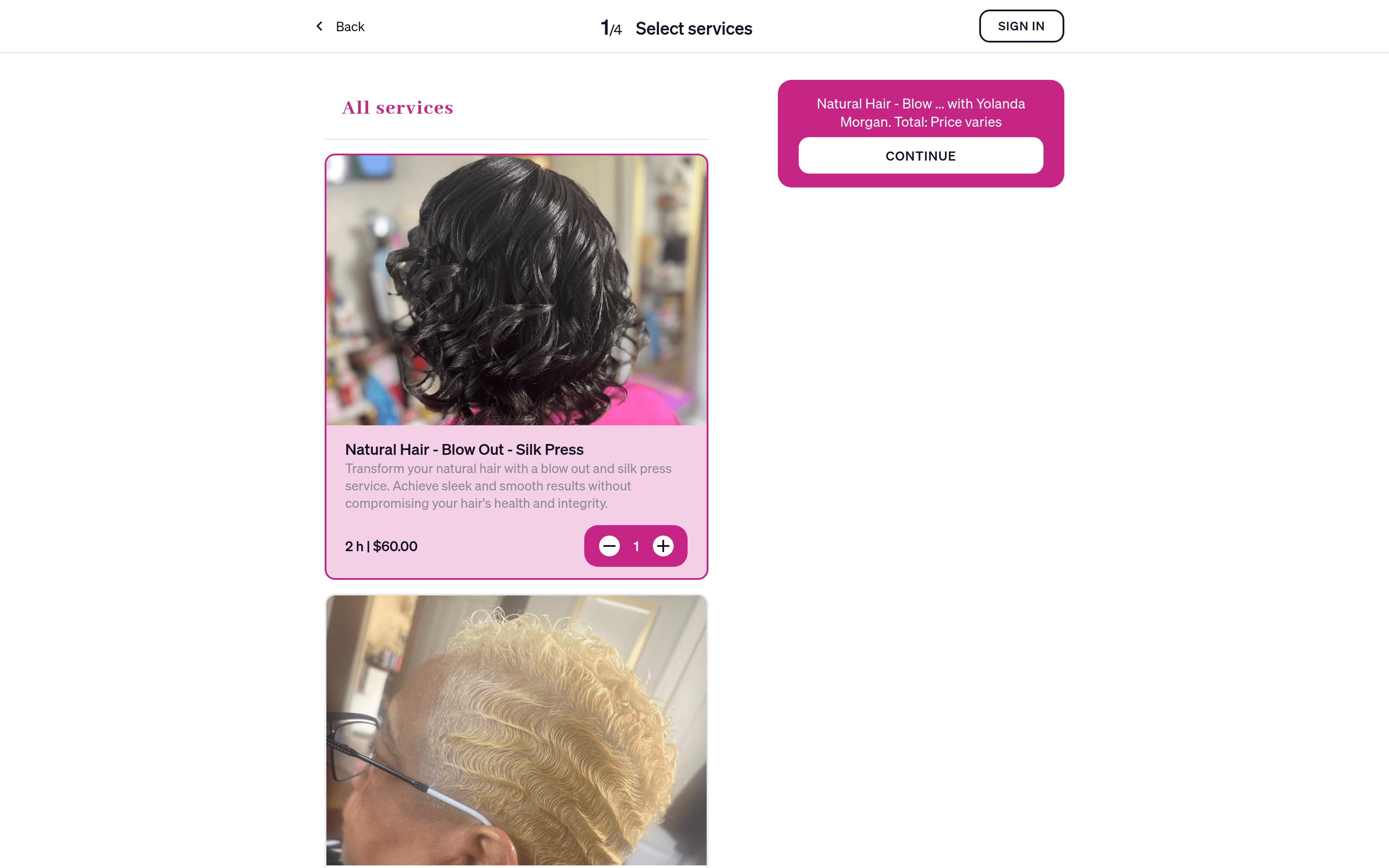
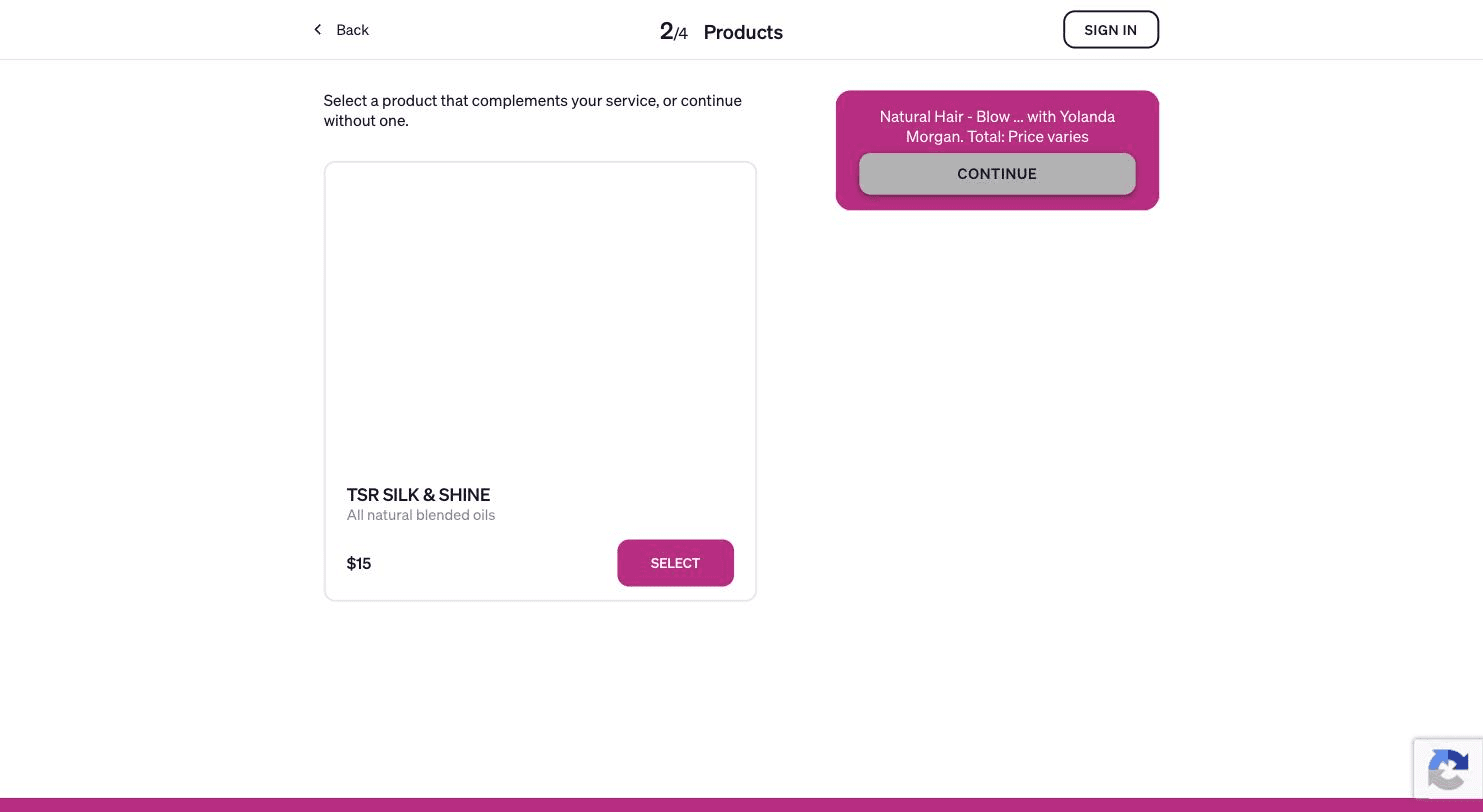
The running summary in the corner is small but does a lot of work. It names the service, the staff member it will be booked with, and the total: "Natural Hair - Blow ... with Yolanda Morgan. Total: Price varies". When I added a $3 Chrome add-on to a $40 full set elsewhere, the total moved to $43 immediately. The whole checkout also takes on the salon's accent colour, so the magenta salon gets a magenta flow and the mustard one gets a mustard flow.
If the pro sells retail, the next step is a product upsell, worded gently: "Select a product that complements your service, or continue without one." One salon offered a $15 bottle of blended oils there. It is a small idea, but selling a product at the moment of booking rather than at the chair is the sort of thing a solo operator would never build for themselves.
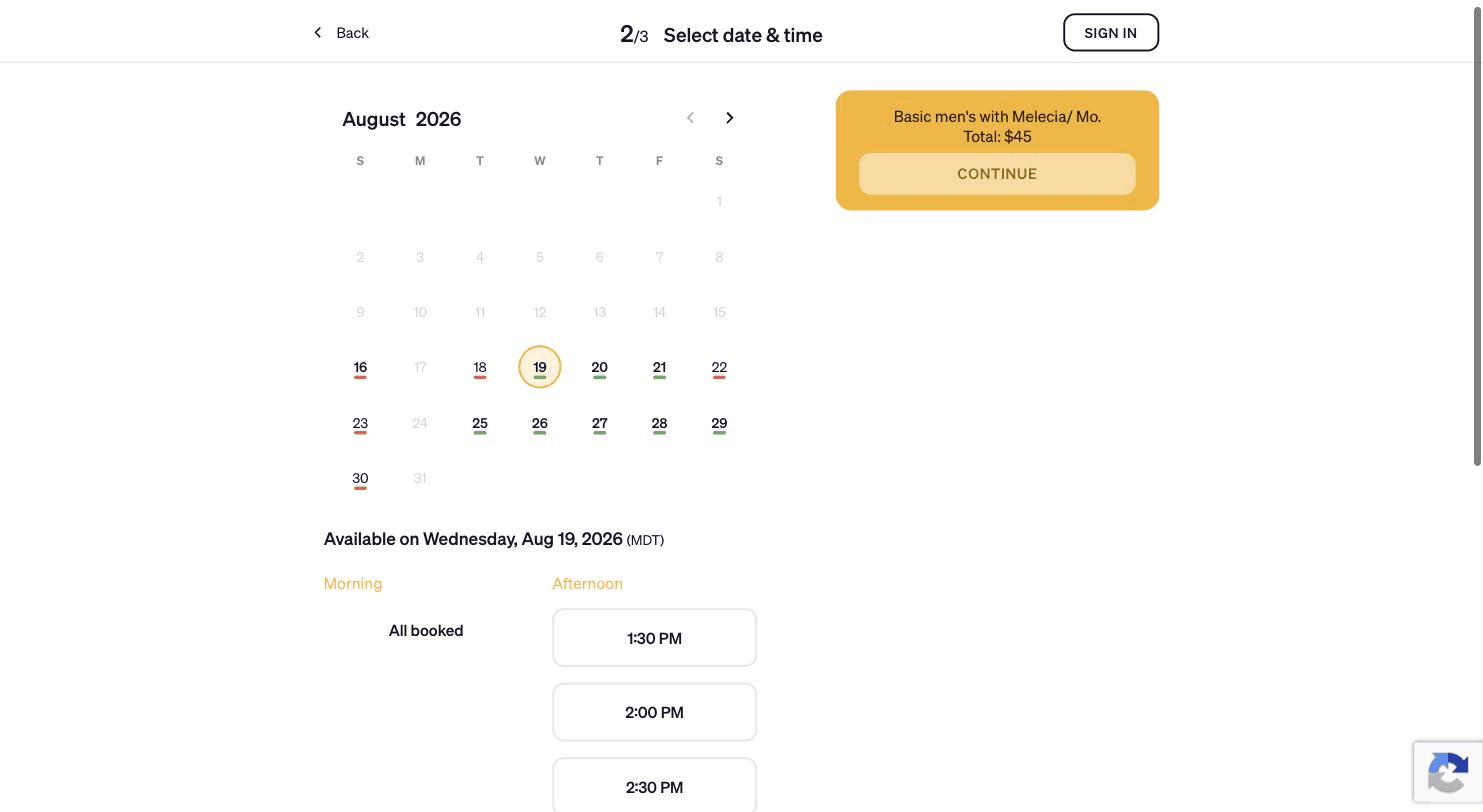
The date and time step is the best-executed screen in the flow. The calendar greys out every day the salon is closed, and under each open day it draws a short underline: green if there is room, red if the day is full. So availability for a whole month reads at a glance, before you click anything. Pick a day and the slots split into Morning and Afternoon, with the timezone spelled out next to the date ((EDT), (MDT)), and a blunt "All booked" where a half-day has gone. On one salon I watched the 1:00 PM slot disappear between two visits, which is the availability updating in real time rather than on a cache.
Under the slots sits a "Can't find a suitable time for you?" card with a JOIN WAITLIST button. This is where I hit the one clear bug of the session, which I will come back to.
The last step asks for name, phone and email, with a countdown at the top: "We'll hold the slot occupied for 9:58". A ten-minute hold on a slot while someone types is a detail I did not expect from an app in this price bracket, and it is exactly the kind of thing that stops two clients grabbing the same Saturday morning. Under the phone field sits an explicit SMS consent line. Pros on the higher plan can add their own question, and one salon used it well: a field labelled "Feeling Healthy or under the weather" asking clients to reschedule if they are unwell. A Policy and Terms checkbox is required before the button unlocks.

Clients can also create an account. There is a separate "Goldie for customers" app where they sign in to manage their own appointments, which is optional on the pro's side.
This is the feature Goldie is best known for, and it is also where the free plan draws its sharpest line. On the free Starter plan reminders are manual: Goldie prepares the message but it goes out from your own phone, through your own carrier, so you pay nothing extra and you also have to remember to press send. On Pro and Pro Plus they go automatically through Goldie's system.
The reminder itself carries the date, time and service plus a link to confirm, reschedule or cancel, and a client replying "Yes" flips the appointment status without the pro touching anything. Rebooking reminders (the nudge to come back for a touch-up) and two-way texting are paid features. WhatsApp reminders appear in the feature table on all three plans.
The message allowance is worth reading twice before you subscribe. The pricing page advertises 500 free SMS credits a month on Pro and another 250 on top for Pro Plus, and the help centre agrees at 500 and 750. A FAQ further down that same pricing page then says the free allowance is 500 only in a listed group of countries (the US, UK, Canada, Australia, South Africa, Ireland, France, Italy, Lithuania, Portugal and Romania) and 200 anywhere else. If reminders are the reason you are buying, check the number for your country before you commit. Extra messages can be bought, and unused ones carry into the next cycle before expiring.
No-show protection sits alongside this: deposits taken at booking, a cancellation policy the client has to tick, and a card kept on file so a no-show fee can be charged without a chase. Goldie says salons using deposits report cutting no-shows by more than 90%. That is their figure and I had no way to test it. What I can say from the client side is that the plumbing is there and pros use it unevenly. Several I looked at had typed their deposit rules into the free-text policy box rather than configuring an actual deposit, which means the rule is a sentence rather than a charge.
Payments are built into the app rather than bolted on, with Stripe underneath, and the rates Goldie publishes for the US and Canada are 2.6% + $0.30 for payments taken in the app and 2.5% + $0.30 through one of its card readers. There is no monthly hardware fee. Payouts land in 1 to 3 business days on the free plan; Pro and Pro Plus get free same-day transfers or instant payouts in under 30 minutes.
The hardware is a two-model line at $60 one-off: Goldie Touch, a 5.5-inch Wi-Fi terminal for a reception desk, and Goldie Go, a Bluetooth reader small enough for a pocket. There is also a newer S700 terminal being pushed on the site. If you would rather carry nothing, Tap to Pay turns the phone itself into the reader. Deposits, payment links sent by text, card on file and contactless are all supported, and the plan table shows payment processing available even on the free tier, which is unusual and welcome.
Buy Now, Pay Later runs through Affirm, Afterpay, Klarna and Zip in the US, UK, Puerto Rico, Canada and Australia, and it surfaces on the booking site as a badge on the pro's page. Goldie claims salons adding it see roughly 20% more revenue. Again, their number, not mine, and one I would treat as a best case.
Worth flagging: the plan comparison table marks card readers as "US Only" while the payments pages talk about the US and Canada. If you are outside the US, ask before you order hardware.
The marketing side is built around text, which makes sense for this audience. You can blast a campaign to a client segment for a promo, a new service or a last-minute gap, and Goldie is careful to note that each client receives the message individually rather than as a group thread. There are three discount shapes rather than one generic coupon: new-client discounts, limited-time discounts to fill a quiet Tuesday, and loyalty discounts for regulars. Gift cards sell straight from the booking website.
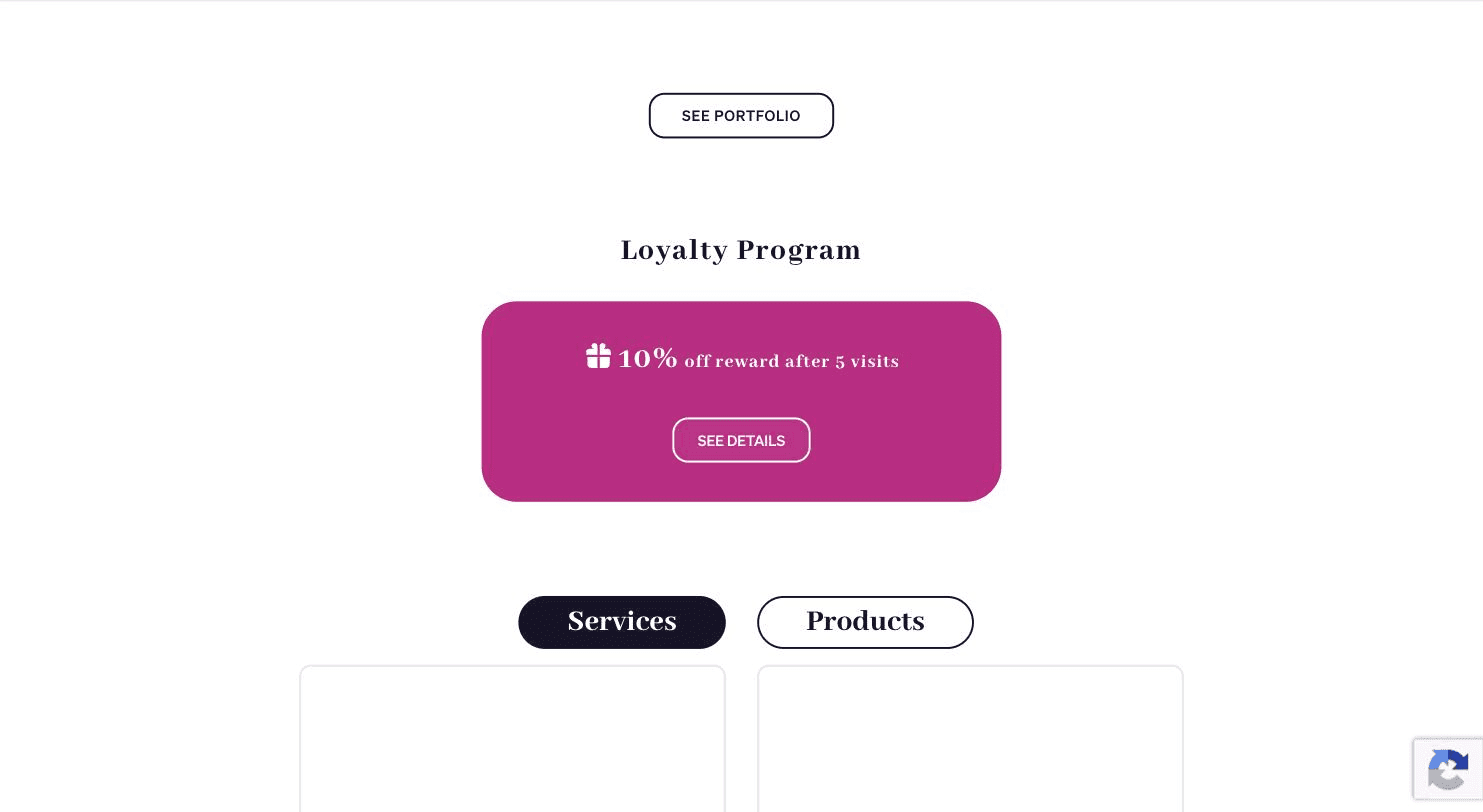
The loyalty program is the piece I could actually inspect, and it is more carefully thought through than I expected. One salon's page advertised "10% off reward after 5 visits", and a "How it works" panel spelled out six rules: only completed appointments count, cancellations and no-shows do not earn visits, the reward applies to the whole appointment including add-ons and products, rewards do not stack with other discounts, a reward is marked used the moment it is applied, and cancelling afterwards does not automatically hand it back. Those are exactly the edge cases that turn a loyalty scheme into an argument at the till, and someone has clearly had that argument before.
On top of that sit two AI features. The AI Marketer writes social captions from portfolio photos, drafts service descriptions and cancellation policies, and will even generate a logo for the booking page. The AI Receptionist, on the top plan, answers client messages around the clock, checks live availability, asks which service and which stylist, and books, reschedules or cancels without the pro touching it. Goldie says it is on by default with no configuration. I could not test either, so treat them as claims.
Client management is the quieter half: notes, appointment history, birthdays, photo galleries, a "new client" tag, family and pet profiles, and the ability to block a client. Reserve with Google is free and commission-free, adds a Book button to your Google listing, and takes up to 72 hours to appear.
A quick roundup of what else is in the box, most of it on the paid tiers:
Goldie prices by region, and not by simply converting one number. Loading the pricing page from France served me 29.99€ and 59.99€ a month. The same page rendered from a US connection shows $19.99 and $39.99. Read the table below as two separate price lists rather than one price in two currencies, because a European pro pays meaningfully more than an American one for the same plan. Yearly billing is two months free either way.
| Plan | United States | Europe | Appointments | Users |
|---|---|---|---|---|
| Starter | Free | Free | 20 / month | 1 |
| Pro | $19.99/mo, $199.99/yr | 29.99€/mo, 299.99€/yr | Unlimited | 1 |
| Pro Plus | $39.99/mo, $399.99/yr | 59.99€/mo, 599.99€/yr | Unlimited | Multiple |
The free tier is more generous than the word "free" usually signals. You get unlimited clients, the branded booking website, optional client accounts, appointment deposits, built-in payment processing, a customisable cancellation policy, Reserve with Google and free data migration from whatever you are leaving. The cap that bites is 20 appointments a month, which a busy stylist will clear in a week.
Pro is the plan most solo pros will land on: unlimited appointments, automated reminders, no-show protection, rebooking nudges, marketing campaigns, service add-ons, earnings reports and forecasts, gift cards, product sales, loyalty cards and BNPL. Pro Plus is the small-team plan, and it is where team calendars, permissions, staff reports, online forms, inventory, expense tracking, the waitlist, dynamic pricing and the AI Receptionist live. No credit card is needed to sign up, and downgrading back to Starter is the documented way to cancel.

It is a strong fit if you are:
It is a weaker fit if you run a multi-location business with complex staff rotas, commission structures and stock across sites; the heavier salon platforms are built for that and Goldie is not pretending otherwise. It is also the wrong choice if you want a marketplace to send you clients. Goldie deliberately has no consumer marketplace: your booking link is yours, there is no commission on new clients, but nobody discovers you through Goldie either. That is the central trade against something like Fresha, and it is worth being clear-eyed about which side of it you want.
That is the end of this Goldie review. What I came away with, from the only side of the product I could reach, is that the details are unusually well judged for this price. The ten-minute slot hold, the green and red underlines that let you read a month of availability without a click, the loyalty rules that anticipate the awkward conversations, the checkout that grows or shrinks a step depending on what the pro sells: none of these are headline features, and all of them are the sort of thing you only build after watching real salons use the product.
The friction is real too. The waitlist button appears to clients even when the pro has not switched the waitlist on, and clicking it produces a dead end: "Oops! We're sorry, but The Salon Room hasn't activated their waitlist yet." Offering a client something you cannot deliver, at the exact moment they have failed to find a slot, is the worst place in the flow for that to happen.

What I liked:
Things to keep in mind:
If you are a beauty pro still running your book out of a notes app, Goldie is free to try and the client-facing half is genuinely well made.